


 課程簡介
課程簡介
Cisco CCNA v2(Cisco Certified Network
Associate)是全球公認最具權威性的網絡工程師證書。在雲端運算與多雲架構盛行的今天,無論是進入 IT
行業、晉升系統工程師(System Engineer)還是雲端專家(Cloud
Specialist),具備紮實的網絡基礎架構知識都是不可或缺的黃金門檻。 >>> 課堂筆記(節錄範例) | 開課及上課日期 | 課程費用 | 相關考試 <<<
|
|
我們擁有超過
26 年教學經驗 , 無時無刻緊貼 CCNA 考試題庫變化 , 將第一手題目與學員分享 , 讓您 "1 TAKE" 完美通過 CCNA 考試 ! |
|
|
 有志投身 I.T.
界的人仕網絡管理人員,系統工程師資訊科技部門主管
/ 經理修讀條件:具有基礎 Windows
系統操作經驗擁有互聯網及 TCP/IP 的基本概念對網絡系統及 LAN 具有濃厚與趣 有志投身 I.T.
界的人仕網絡管理人員,系統工程師資訊科技部門主管
/ 經理修讀條件:具有基礎 Windows
系統操作經驗擁有互聯網及 TCP/IP 的基本概念對網絡系統及 LAN 具有濃厚與趣 |
 |
課程包括:導師精心編製 CCNA
200-301 課程筆記印刷本及PDF 版本一套
多本 CCNA
200-301 PDF 電子書
課堂上一人一套 Cisco
4331/C1111 Router, 2960/3850/9300 Switch,和其他同學進行一系列實習
課堂時理論和實習同時進行,每組
4-6 人,增強與人合作建構大型網絡的信心
配合
最新 Cisco Modeling Lab 2 模擬器軟件
能支援
Cisco c8000v 和 Layer 3 Switch 的 GNS3 模擬器軟件
最新
9 月模擬試題連
AI 參考答案和解釋 (長達 "12 個月" 免費更新保證,考試更有彈性)
課程資源下載鏈結 (包括 PDF 筆記、電子書、模擬試題、應用軟件、模擬器等),隨時掌握最新學習內容
Jackie
Mok 親自教授


Visual Cert Exam (VCE) 模擬考試軟件,增強考試能力!
課程電腦設備:WiFi-7 高速網絡,在學習過程中保證為您帶來非凡的超高速體驗。

設備與教學優勢:重磅升級:
我們堅決淘汰坊間其他中心仍在使用、早已過時的 2800 系列等「古董級」舊型號。本課程全線採用全新企業主力機型:
• 新世代路由核心:配備 Cisco 4331 與 C1111 企業級整合業務路由器(ISR)。其無可比擬的運算速度與強大的介面處理能力,讓您體驗真實企業網絡的吞吐量與高流暢度。
• 高速交換與骨幹網路:提供多款支援進階路由的 Cisco Catalyst 9300/3850 Layer 3 旗艦級交換器與 2960L Layer 2 交換器。
• 全面對接現代架構:所有設備均搭載最新版本的 Cisco IOS XE 操作系統,全面支援網路自動化運維與軟體定義網絡(SDN)技術。
理論與實作雙軌並行:即時除錯,學習效率事半功倍
我們採用「邊學邊做」的沉浸式教學模式。課堂上理論講解與實體機操作同步進行,徹底打破死記硬背的傳統盲點:
• 即時互動發問:實習過程中遇到任何設定錯誤(Misconfiguration)或盲點,講師與助教隨時在旁,讓您即時發問、當場解決。
• 加深知識吸收:透過現場除錯(Troubleshooting),將枯燥的指令轉化為記憶,讓學習成效達到事半功倍,打造業界最頂尖的學生質素!
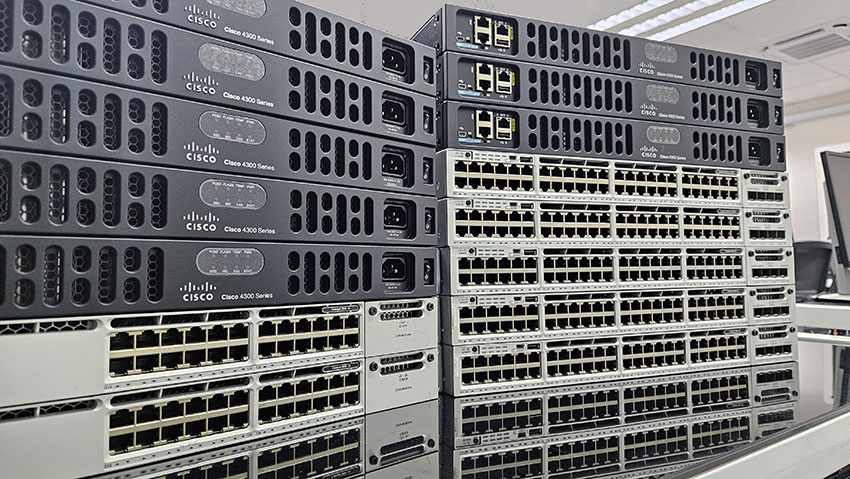
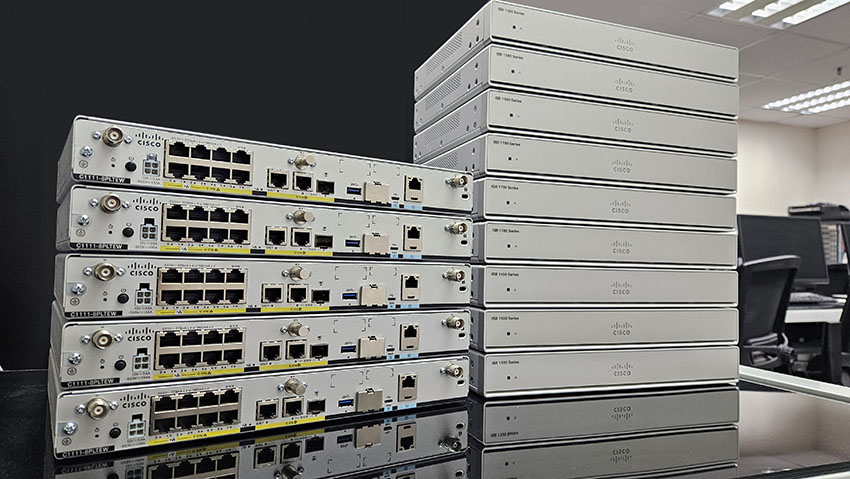
每位同學都有一組 Cisco 設備,包括
Cisco 4331 / C1111 ISR Router 和 3850 Layer 3 / 2960 Layer 2 Switch
實習
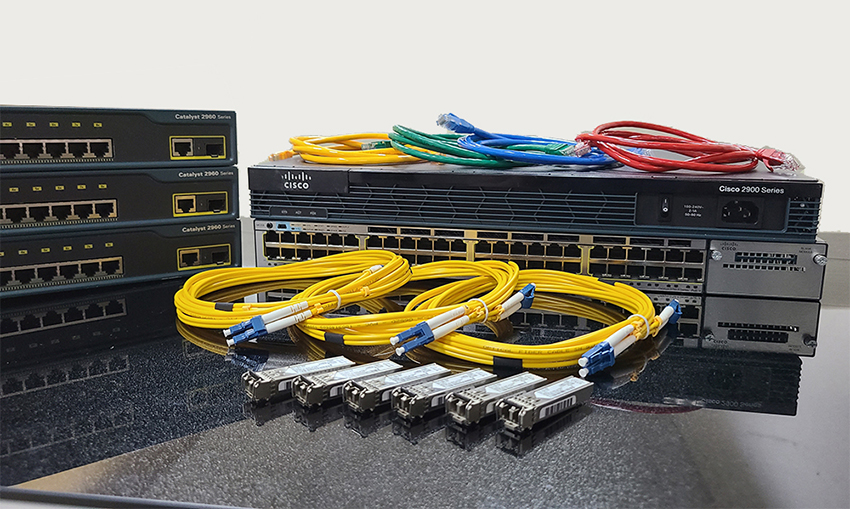
課堂上教授如何透過 Cat 6A UTP 和 Fiber 光纖線將設備互相連接
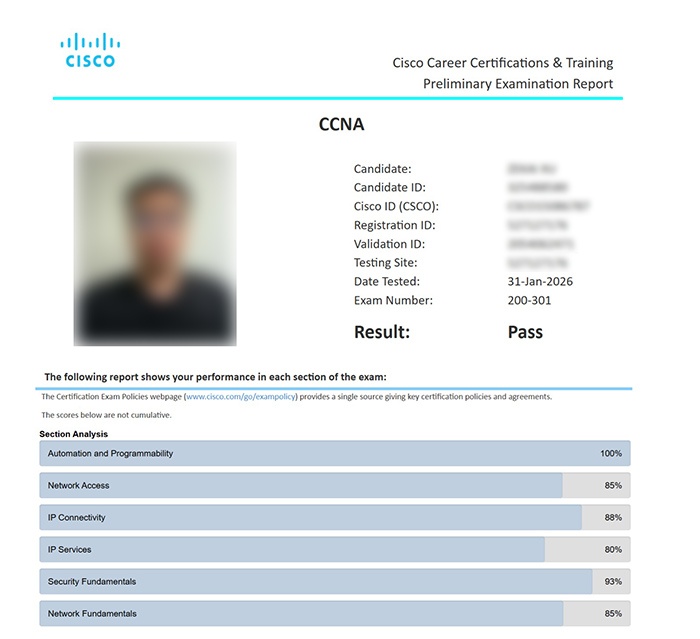
同學最近的考試成績,高分考取 CCNA 資格
課程實習中你將會學到 ....
如何運用
Windows 系統內的 HyperTerminal / PuTTY 程式接駁及設定 Cisco Router怎樣從電腦中使用 Telnet/SSH 程式遙距連接 Router 作日常管理及操作了解 Cisco Router 和 Switch 的操作系統 Cisco IOS-XE
17 的指令運用了解 TCP/IP、UDP、ARP、ICMP 各種通訊協定的設定和運用了解 Router 運作原理、Routing Table 的解讀和使用、以及如何設定各類的 Routing Protocol了解 IPv4、IPv6 Addressing 架構、了解何謂 Subnet Mask,以及 Subnetting 的計算及運用如何安裝 Cisco TFTP Server 和 Web Server 以及學習有關設定和連線實習還有 Router 的升級方法和 Configuration File 的備份及還原練習、Secure Shell (SSH) 的設定和連接實習了解網絡保安原則,防火牆(Firewall) 的原理和運用,如何使用 Cisco Router 內的 Access List 控制網絡存取和防止黑客入侵學習運用 Postman 與 RESTCONF / JSON 進行 Network Automation,體驗一鍵管理現代企業網絡的強大效率結合 AI 智能助手進行 Log 分析、Topology 架構優化與故障診斷,模擬現代 NOC(網絡營運中心)真實工作流程專為無程式背景者設計!即可掌握 Network Programmability & Automation 核心概念,輕鬆考取 CCNA 全球國際認證。
課程小組實習:
全班分成多個小組,利用不同設備建立多個網絡,然後使用
Cisco Router, Switch 互相連接,傳遞資料教授如何設定 Static Route,以及各種 Routing Protocol:
RIPv2, EIGRP, OSPF 及 BGP 的運用模擬企業內的網絡環境,測試同學間互相配合的能力和發揮群體合作 "Teamwork" 的精神
 導師講解 CCNA 課程內容及試題分析 |
 同學們都專心學習網絡知識 |
 同學們分成小組建構及連接不同的網絡設備 |
 同學們發揮合作精神建構網絡 |
 任何設備的連接都在同學掌握之中 |
 學習在電腦中設定 Cisco 網絡設備 |
 大量 Cisco 3750 PoE 系列 48 Port Layer 3 Switch 讓同學實機操作練習 |
|
 大量 Cisco 2960L Layer 2 Switch 和 Fluke Networks 網絡測試儀器讓同學實習 |
|
最新 Cisco 模擬器: Cisco Modeling Labs (CML) v2.10
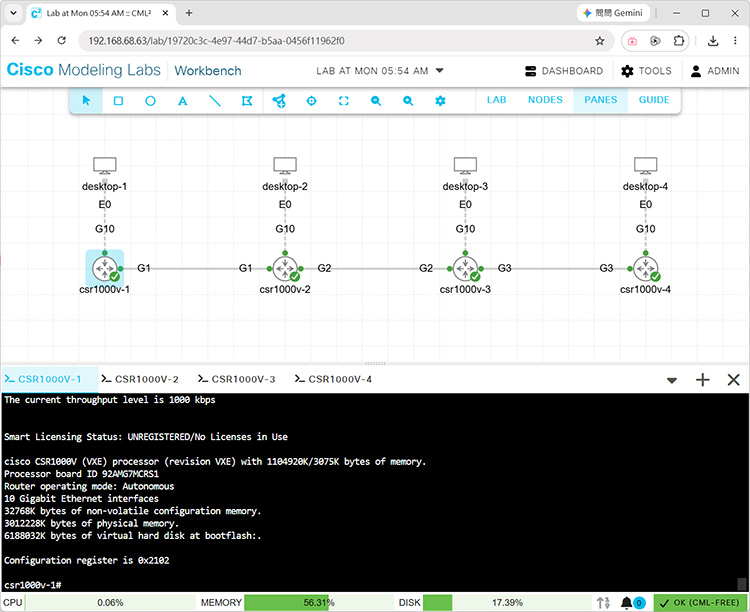
再配合 GNS3 模擬器,在家中電腦模擬 CCNA
考試 Simulation 練習。
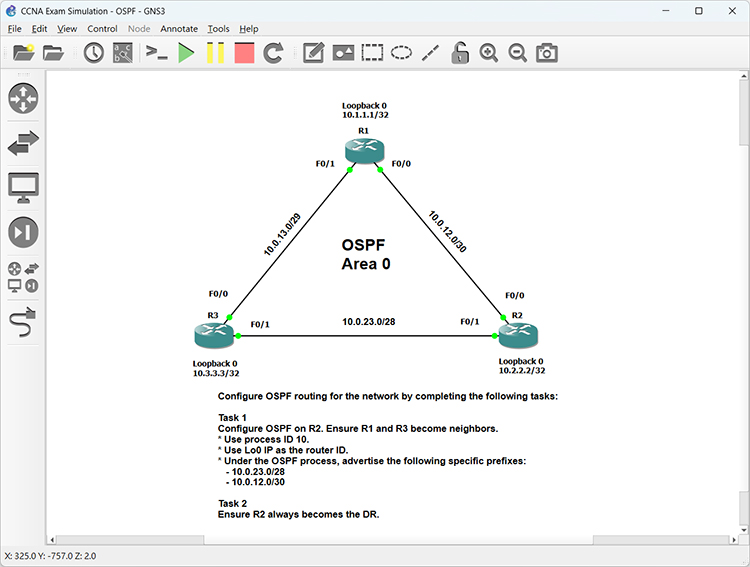
課堂筆記 (節錄範例)
上課用的 PowerPoint 採用動畫式設計,學習更有趣味,知識更容易吸收。
 |
 |
 |
授課語言:
課程全長:
10 堂 x 3 小時 ( 理論 + 實戰 ) 及 6 小時 ( 研習時段 ) , 合共 36 小時
開課及上課日期 ( 100% 真人教授, 真正實體設備 - 包括 電腦 及 Cisco
Router / Switch , 100% 保證開班 ) :
 |
本中心 Cisco 課程 , 教材內容均由 Cisco Certified Instructor 統籌 , |
( 登記成為 基本會員 或 金會員 或 365 特級會員 即可 免費報讀 本課程 (自選日程) , 詳情按此 )
|
|
HK$ 4,980 ( 正價 )
HK$ 4,480 ( 優惠價 )
HK$ 4,280 ( 2 人同行 優惠價 )
今日透過 WhatsApp 報名可享優惠價 $2,880
|
請即致電 2380 9888 (來電請設有 來電顯示) / WhatsApp 確認優惠 . * 每學員優惠使用次數不限 . 優惠不可重疊使用 . 優惠詳情請參閱課程內頁相關說明 . |
試題數量: 58 題
考試時間: 150 分鐘
合格分數: 825 / 1000 分
模擬試題參考

成功通過考試後獲得的國際認可證書及資格:


Module 1: Network
Infrastructure and Connectivity1.1 Diagnose interface and cable (copper and fiber) issues
1.2 Describe the role and function of hypervisors, virtual machines, and containers
1.3 Troubleshoot IPv4 address configuration, assignment, and subnetting (public and private)
1.4 Troubleshoot IPv6 address configuration, assignment, and prefix sizing (unicast and modified EUI 64)
1.5 Describe wireless principles
1.5.a Band and channel selection
1.5.b RF characteristics
1.5.c Security protocols
1.5.d Cause of interference
1.6 Troubleshoot wired and wireless client connectivity
(IP configuration, network reachability, and wireless security parameters on Windows, MacOS, and Linux)
1.7 Troubleshoot DHCPv4 client, server, and relay on IOS devices
Module 2: Switching and Network Access2.1 Configure network infrastructure connectivity (switch-to-switch and switch-to-router)
2.1.a Layer 2/Layer 3 physical interfaces
2.1.b Layer 2 802.1Q trunk interfaces
2.1.c Layer 2/Layer 3 LACP port-channel/EtherChannel
2.1.d Switch virtual interface (SVI)
2.2 Configure Layer 2 switch port attributes for edge-host connectivity (VLAN, PoE, port channel, and LACP)
2.2.a Desktop, printer, and IOT appliances
2.2.b Wireless access points (standalone and controller based)
2.2.c Voice over IP phone
2.2.d Virtualized hosts
2.2.e Network appliances
2.3 Validate the accuracy of network documentation using CDP and LLDP
2.4 Troubleshoot basic Layer 2/Layer 3 connectivity and device operations using show commands
(including show logs), ping, extended ping, trace route, and packet capture output
2.5 Configure operations of the Rapid Per VLAN Spanning Tree Protocol (Rapid PVST+)
2.5.a Root port, root bridge (primary/secondary), and other port names
2.5.b Port states and roles
2.5.c PortFast
2.5.d Root guard, loop guard, and BPDU guard
Module 3: IP Routing3.1 Interpret a routing table to identify the next hop for a packet
(routing protocol, prefix/mask, administrative distance, metric, and default route)
3.2 Troubleshoot IPv4 and IPv6 static routing
3.2.a Default route
3.2.b Network route
3.2.c Host route
3.2.d Floating static
3.3 Configure single area OSPFv2 for IPv4 and OSPFv3 for IPv6
3.3.a Neighbor adjacencies (excluding authentication)
3.3.b Point-to-point
3.3.c Broadcast (DR/BDR selection)
3.3.d Router ID
3.4 Interpret the operational status of First Hop Redundancy Protocols (HSRP and VRRP)
Module 4: Network Services and Security4.1 Configure network devices with local usernames and as an AAA client (TACACS+ and RADIUS) for management
4.2 Manage device configuration and software files using secure file transfer operations with SFTP/SCP
4.3 Configure NAT/PAT on IOS XE routers
4.4 Diagnose issues with DNS records
(A, AAAA, CNAME, MX, NS, and PTR) to support host, web application, and mail server access by name
4.5 Describe IPsec remote access and site-to-site VPNs (protocols and transport modes)
4.6 Configure IPv4 access control lists (standard, extended, numbered, and named ACLs)
4.7 Configure Layer 2 security features
4.7.a DHCP snooping
4.7.b Dynamic ARP inspection
4.7.c Storm control
4.7.d RA guard
4.7.e Port security
Module 5: AI, and Network Operations and Management5.1 Describe the role of agentic AI in network operations
5.2 Select a prompt to send to a generative AI system to support network operations
5.3 Describe network management approaches
(device-based, cloud-based, controller-based, automation-based, and infrastructure as code)
5.4 Describe the function of SNMP in network operations
5.5 Use configuration management mechanisms such as Ansible / JSON to execute commands
5.6 Interpret syslog message content, severity levels, and facilities